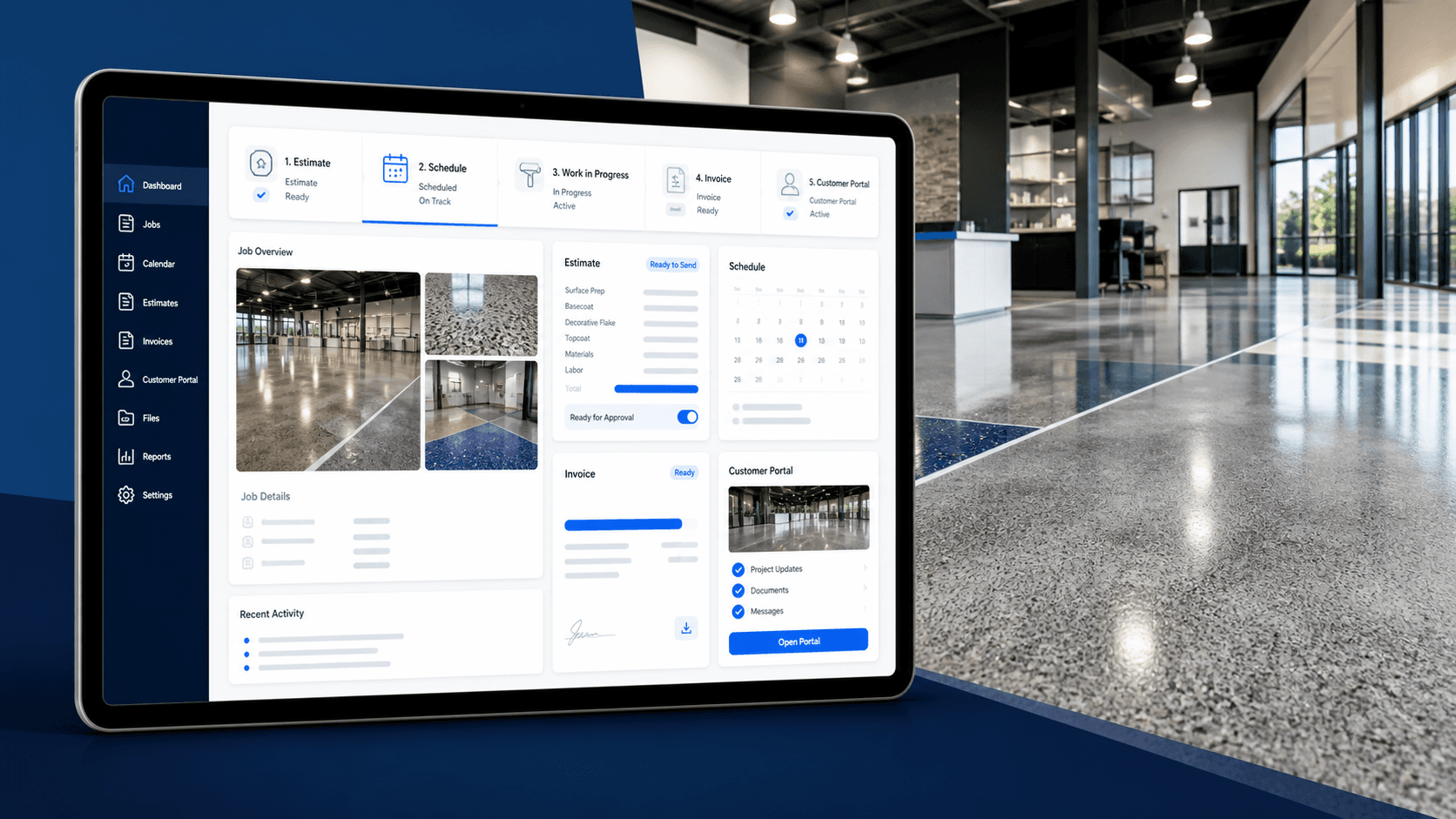
Operating hub
Project Workspace
A project-centered view of health, Next Move, commercial records, scheduling, field history, proof, closeout, and customer access.
Loading
We are loading the latest organization-scoped data for this screen.
Specialty surface contractor software
FloorConnector connects leads, projects, estimates, contracts, jobs, invoices, payments, field evidence, closeout, and the customer portal so the whole job keeps moving from the same shared workflow.
Connected job flow
One project, carried forward
What it replaces
A patchwork of CRM, spreadsheets, PDFs, scheduling notes, field reports, and payment follow-up.
What it centers
The Project Workspace as the operating hub for sales, field, finance, customer review, and closeout.
What stays honest
Current demo-ready features are separated from future dispatch, AI, accounting, and document depth.
The FloorConnector story
The office, field, finance team, and customer portal all work from connected records. Customer actions update the shared workflow, and the contractor continues from the latest project state instead of reconciling copies.
No duplicate re-entry
Scope, signatures, billing, and field context stay connected.
No portal-only copies
Customer review extends the same project workflow.
No disconnected closeout
Proof, documents, service context, and collections stay visible.
Operating core
The operating core is no longer just a generic project list. It can show how a specialty contractor moves from commercial work to scheduling, field execution, proof, customer visibility, collections, and accounting review prep.
Operating hub
A project-centered view of health, Next Move, commercial records, scheduling, field history, proof, closeout, and customer access.
Scheduling visibility
A schedule workspace for ready work, scheduled jobs, date context, crew visibility, and advisory warnings without promising automated dispatch.
Execution history
Daily logs, field notes, attachments, labor context, and job history stay connected to the project that produced the work.
Communication timeline
Project communication context sits beside Send Trail, Signature Trail, Payment Trail, and customer access evidence.
Evidence index
Estimates, contracts, invoices, field evidence, delivery history, warranty/service context, and closeout proof are easier to find from the project.
Customer window
Customers see their next step, project status, timeline, shared documents, and safe review actions through the same shared workflow.
Collections visibility
Open receivables, overdue invoices, payment attention, and accounting review prep are visible without claiming accounting sync.
Print / export
Estimate, contract, invoice, warranty, and closeout package print views render current records for browser print/save.
What contractors see
FloorConnector should make the next operating move easier to see: what is waiting, what is ready, what happened, what was shared, and what still needs to be collected.
See what needs attention before it turns into a missed handoff.
Know what is ready to schedule and what is still blocked.
Follow what happened in the field without digging through scattered notes.
Review what was sent, signed, paid, and still collectible.
Close out work with proof, documents, service context, and customer visibility.
Available to demo today
Demo the current product as a connected contractor operating system. Use real records, start from index routes, and keep future depth labeled as future depth.
Start with the Command Center
Show priorities, ready work, field follow-up, waiting customer/payment/signature items, and source-record links.
Open the Project Workspace
Show ProjectPulse, FieldTrail, MessageCenter, CloseoutTrail, Proof Center, Send Trail, and customer access context.
Walk the customer side
Show the portal Customer Window: next step, project status, timeline, shared documents, and print/save links.
Close on money and proof
Show Financial Control, Accounting Readiness, CSV export prep, and closeout package print/save.
Specialty contractor focus
These teams need handoffs that respect scope, site conditions, field proof, customer approvals, billing, service history, and closeout evidence. A generic CRM does not carry enough of that work.
Coming later
The current demo is about the operating core. These deeper capabilities remain planned direction or later product depth until dedicated implementation work lands.
Contractor-led buildout
Early users can point us toward the workflows that matter most: scheduling depth, company documents, service and warranty depth, reporting, integrations, field workflows, and the demo data needed to prove the story.
Global search now belongs in the demo.
Search can safely find current company records across the operating core, including status-like terms such as scheduled, sent, paid, and in progress.
Early access
FloorConnector is in active buildout. The operating core is ready to demo, and early access helps decide which contractor workflows deserve the next serious layer.
Request Early Access
Prefer an operator review first? Send a short request.